
Tested OS versions
- Astra Linux SE
- 1.7.11 and 1.8.7
- ALT Linux
- p10 and p11
- RED OS Standard
- 7.3.7 and 8.0.3
- ROSA Fresh Server
- 13.3
Tests used Astra Linux Special Edition builds 1.7.11.45 and 1.8.7.65, ALT Container 10 and 11 images, and RED OS 7.3.7 “Murom” and 8.0.3. The ROSA Fresh Server environment was assembled from rosa13 platform packages.
Install and update signed packages
On an x86-64 computer, open the downloaded file in the system package installer. To update, download a newer package in the same format and open it. Installation requires administrator approval.
- Astra Linux — DEB package and its signature. In a terminal, run
sudo apt install ./archiver_0.2.9-1_amd64.deb. - RED OS, ALT Linux and ROSA — RPM package and its signature. In a terminal, run
sudo dnf install ./archiver-0.2.9-2.x86_64.rpmon RED OS,sudo apt-get install ./archiver-0.2.9-2.x86_64.rpmon ALT Linux. On ROSA with dependencies installed, the following command was tested:sudo rpm -Uvh ./archiver-0.2.9-2.x86_64.rpm.
To verify authenticity, save the package, its signature and the NeuralGate public key in one directory. Key fingerprint B204 C02E 4EF5 85BF 022D B3B8 85C5 1D77 32F9 940A.
gpg --show-keys --fingerprint archiver-linux-signing-key.asc
gpg --dearmor -o archiver-linux-key.gpg archiver-linux-signing-key.asc
gpgv --keyring ./archiver-linux-key.gpg archiver_0.2.9-1_amd64.deb.asc archiver_0.2.9-1_amd64.deb
For RPM, substitute the RPM package and signature filenames in the last command. To let the system RPM installer verify the embedded signature as well, first check the fingerprint, then run sudo rpm --import archiver-linux-signing-key.asc.
Open a ZIP from the Fly file manager
In Astra Linux SE 1.8.7, the Fly file manager displays ZIP archives as folders by default. To launch Archiver when you double-click a ZIP, run archiver register under your user account. In the file manager, open Settings → Preferences → Archives and clear .zip, confirm the change and restart the file manager.
This procedure was tested with a ZIP whose filename uses Cyrillic characters on the standard Fly desktop. If you previously set a different default app for ZIP files, record its name by running xdg-mime query default application/zip and set Archiver as the default using xdg-mime default ru.neuralgate.archiver.desktop application/zip. To restore the previous app, substitute its saved name for ru.neuralgate.archiver.desktop.
What was tested
In all seven environments we installed the portable build as a regular user, opened a ZIP in the X11 GUI and checked connectivity to the update channel. For ZIP, 7z, RAR, TAR, TAR.GZ, TAR.XZ, TAR.ZST, TAR.BZ2 and CM, we tested creation, listing, integrity testing and extraction. The extracted files matched the original checksums in all 63 format and environment combinations.
On Astra Linux 1.8.7 we also tested opening a ZIP via the system file association and displaying the first window frame under Wayland with the Weston compositor.
These seven environments ran in containers using software rendering. Package upgrades were also tested using APT on Astra, DNF on RED OS, APT-RPM on ALT Linux and RPM on ROSA. Test packages for the earlier version were built from the published 0.2.6 binaries.
In a separate full Astra Linux SE 1.8.7 virtual machine running the Fly desktop, we tested opening a ZIP by double-click, previewing a README, extracting and verifying its contents, and updating the portable GUI app through its built-in updater. These are developer tests. Physical graphics drivers and mandatory access control policies remain to be tested separately.
Archiver on the desktop
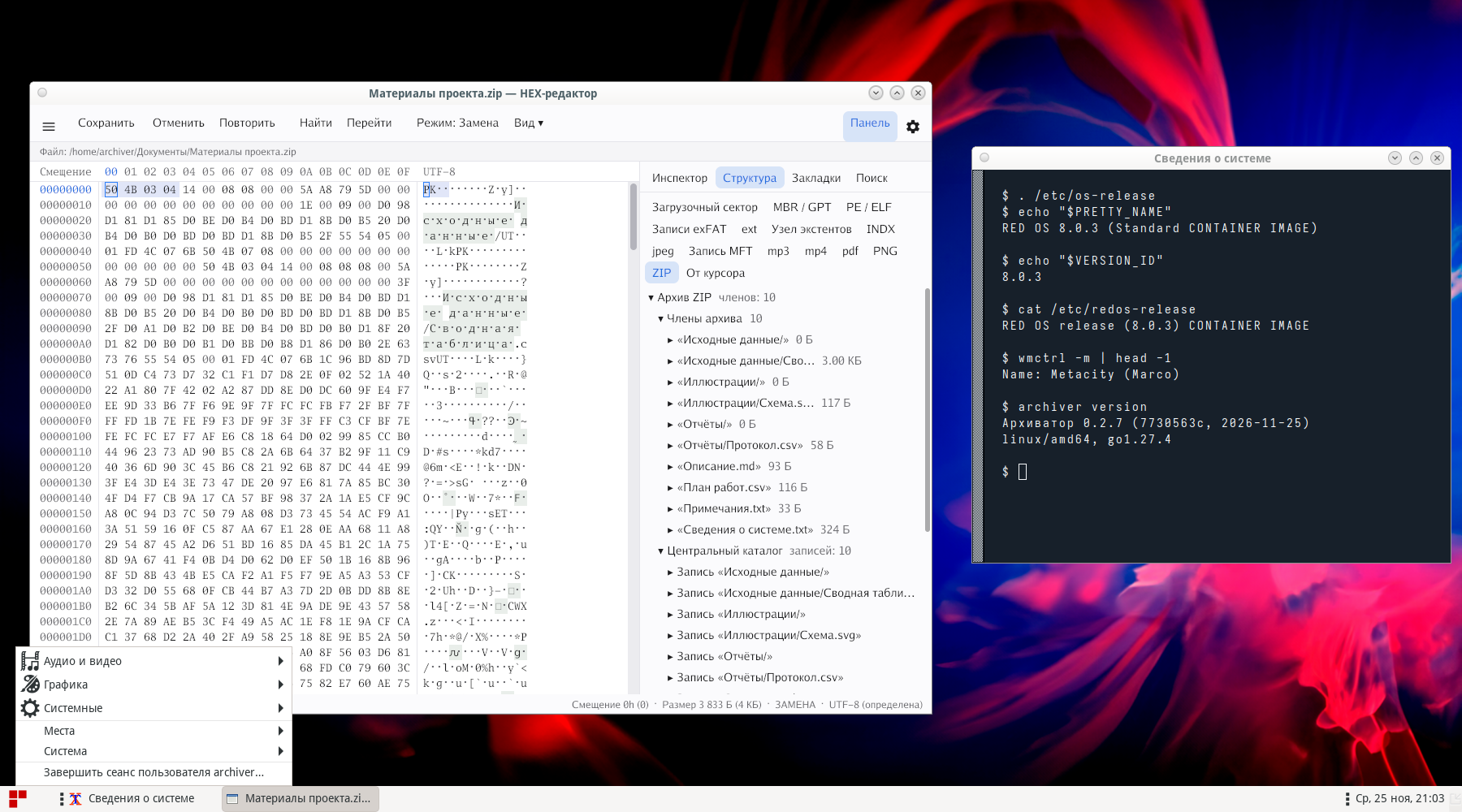
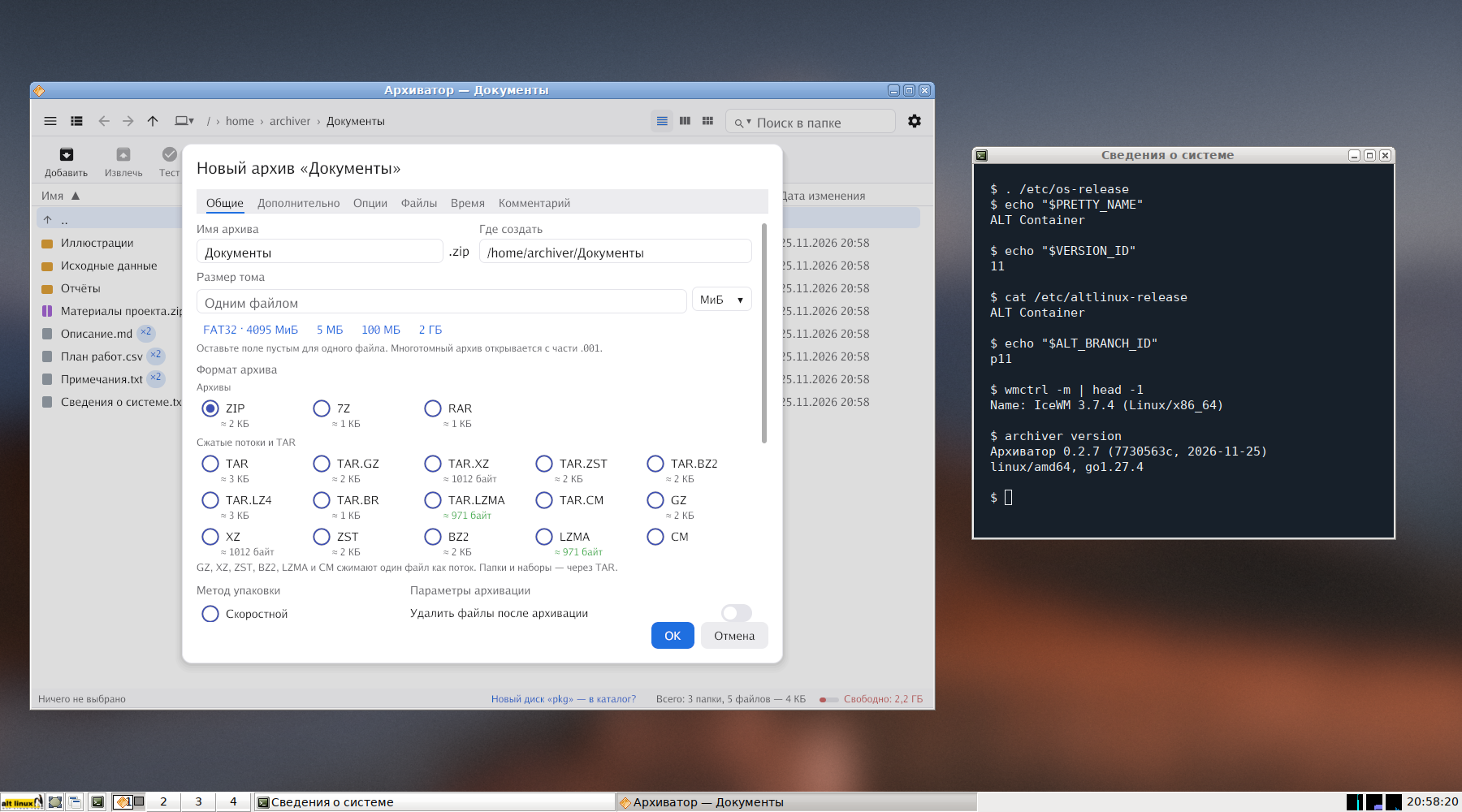
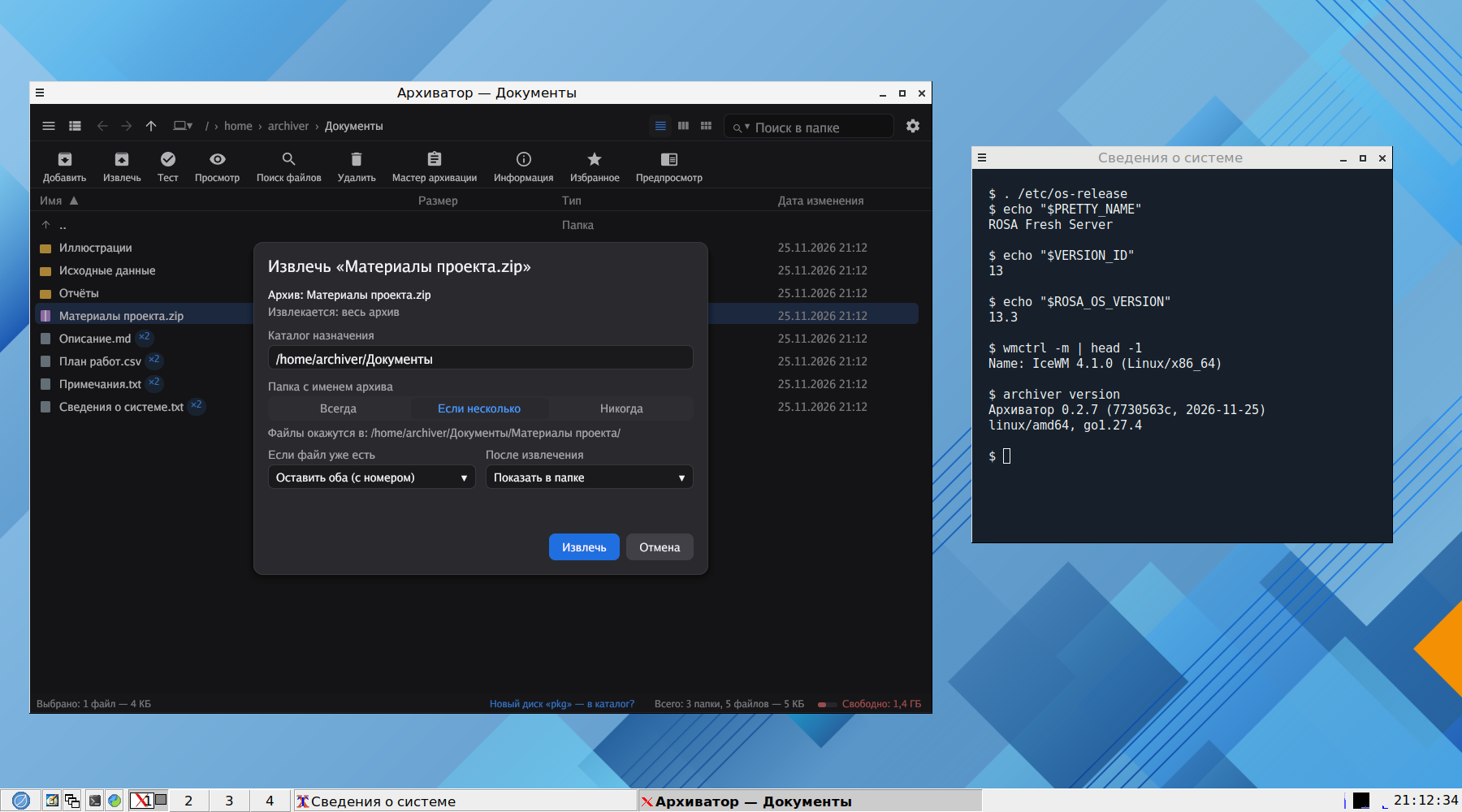
Original screenshots from compatibility tests on Russian-language desktops. Each virtual machine ran a vendor-provided OS image. Archiver and the system panel are visible in each capture.
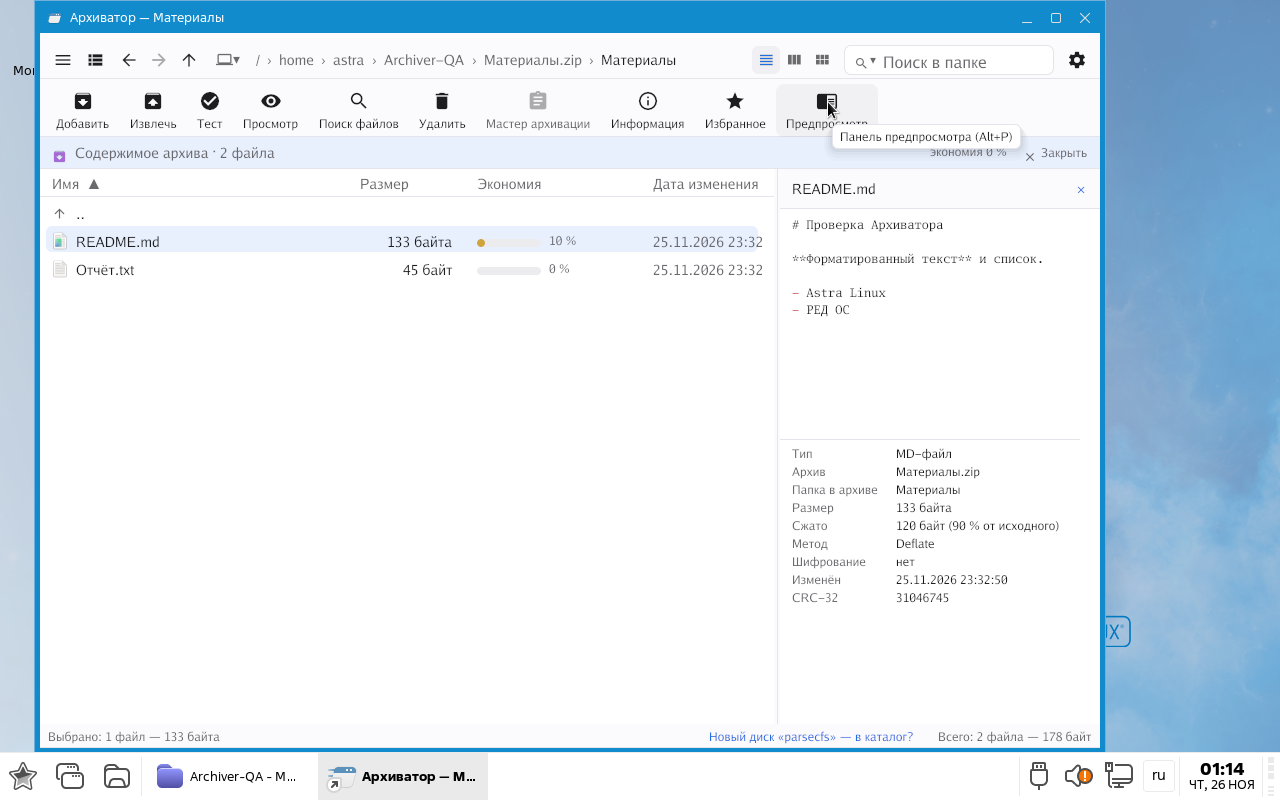
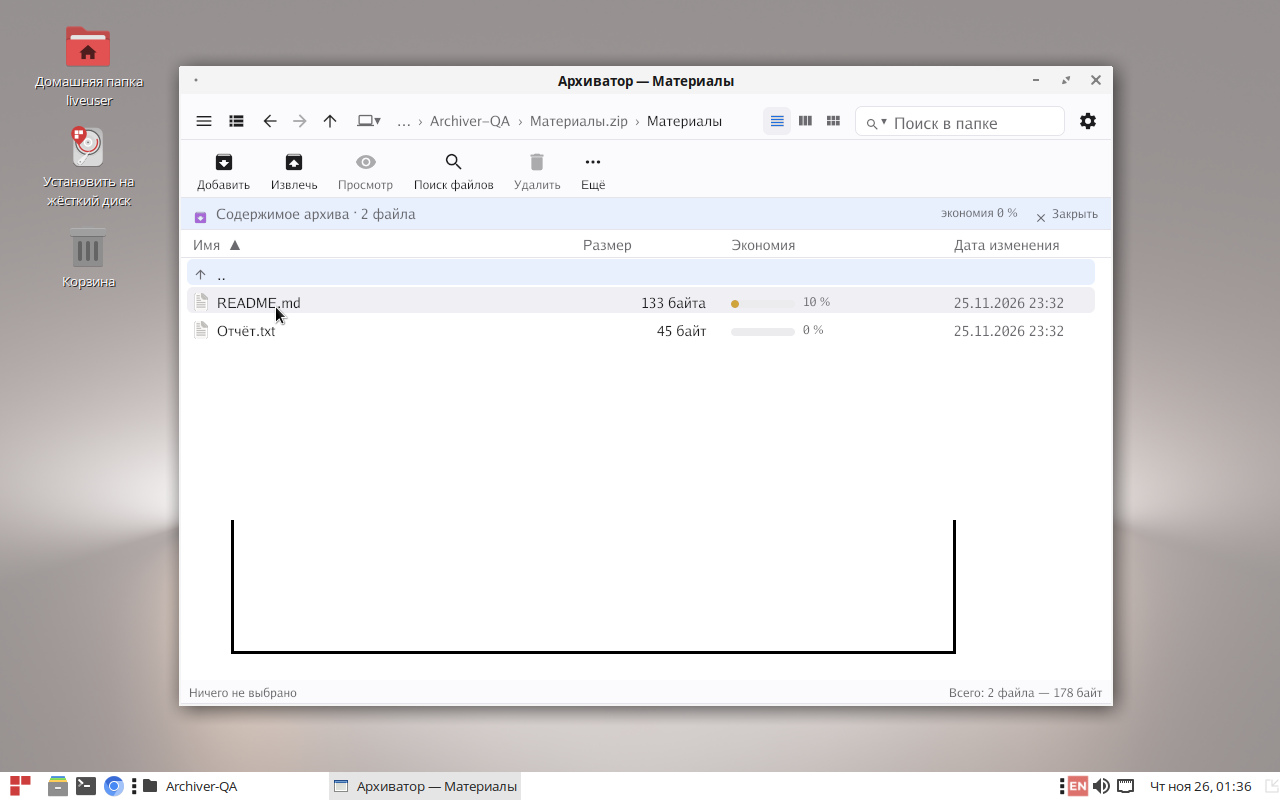
On a standard RED OS 8.0.3 installation, we tested an update through DNF, opening a ZIP by double-clicking in Caja, and extraction with byte-for-byte verification. After Archiver's file association was removed, Caja opened ZIP files with the previous app, Engrampa, again.
The following screenshots were taken in containerized graphical environments. The terminal next to Archiver shows the distribution version and active window manager.
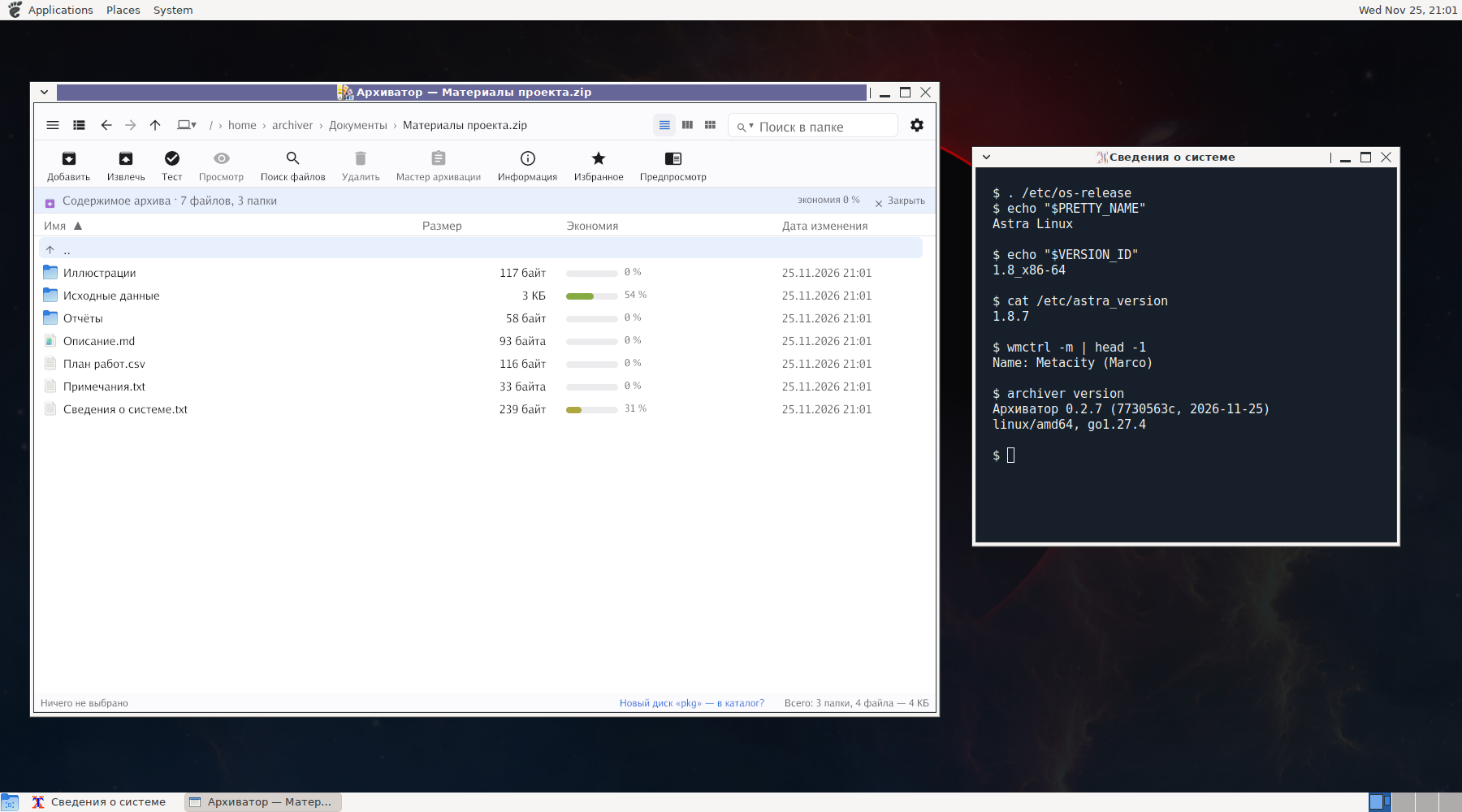
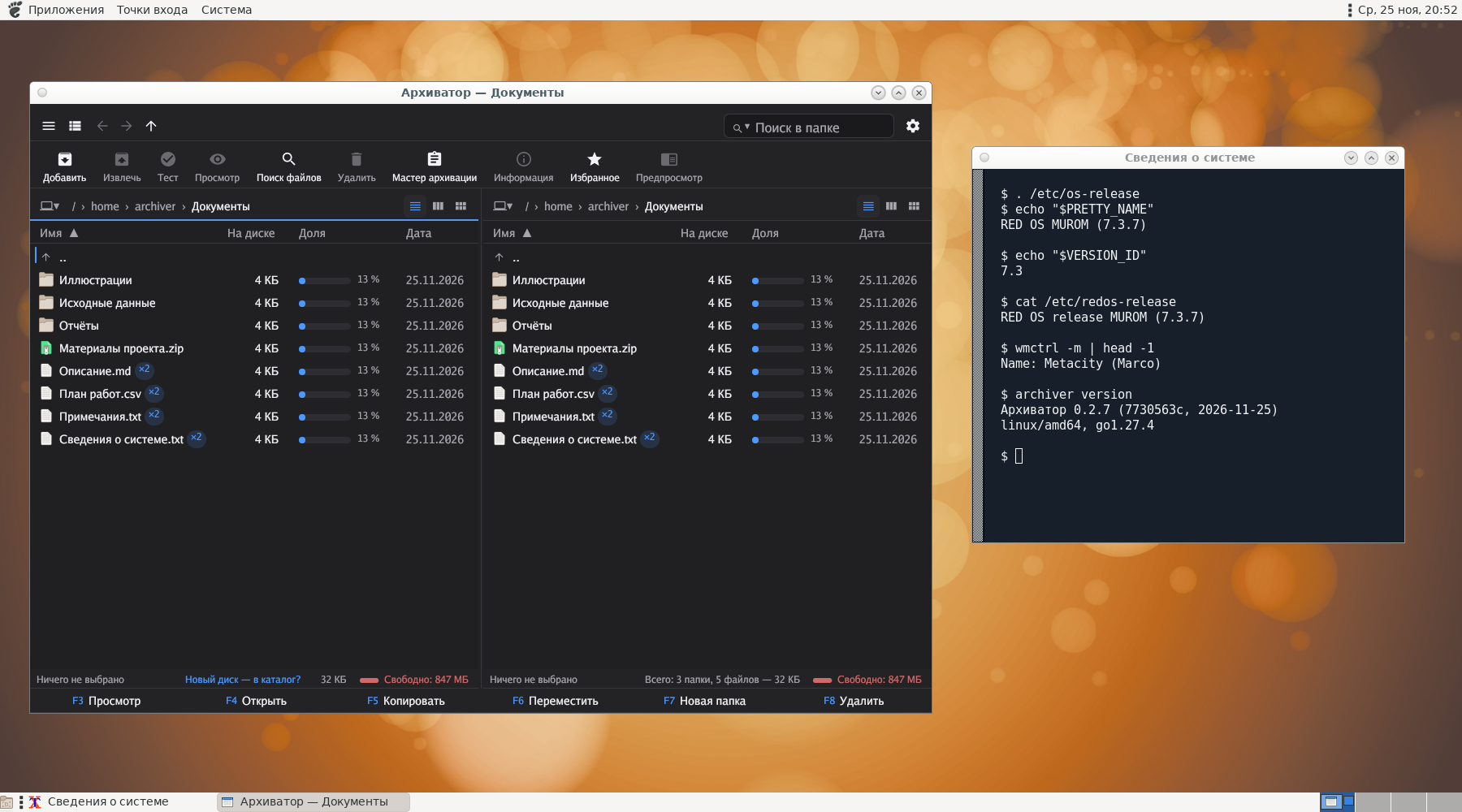
Installation and system packages
Run uname -m. If the output is x86_64, select Linux x86-64 in the download section. The archive includes a graphical app, command-line utility and installer install.sh. Installation guide.
- For network update checks on minimal ALT Linux images, install the system certificates from the package
ca-certificates. On p11 the GUI also needsglibc-pthread. - The GUI requires EGL, OpenGL ES, X11 or Wayland, and a graphics driver. On ROSA Fresh Server, software rendering was tested using
lib64dri-drivers-swrastandlib64dri-drivers-dril.
To reproduce the tests, download the tested 0.2.7 package. Its SHA-256 is listed in the release checksums.